ads analysis: which metrics matter before you change spend?








Before changing ad spend, check cost per real lead, ROAS, and which ads produced enquiries and sales. DREAMZTRACK brings Google, Facebook and Instagram ads into one dashboard, helping you judge spend by customer outcomes rather than by ad activity alone.
From a research headline to a marketing decision
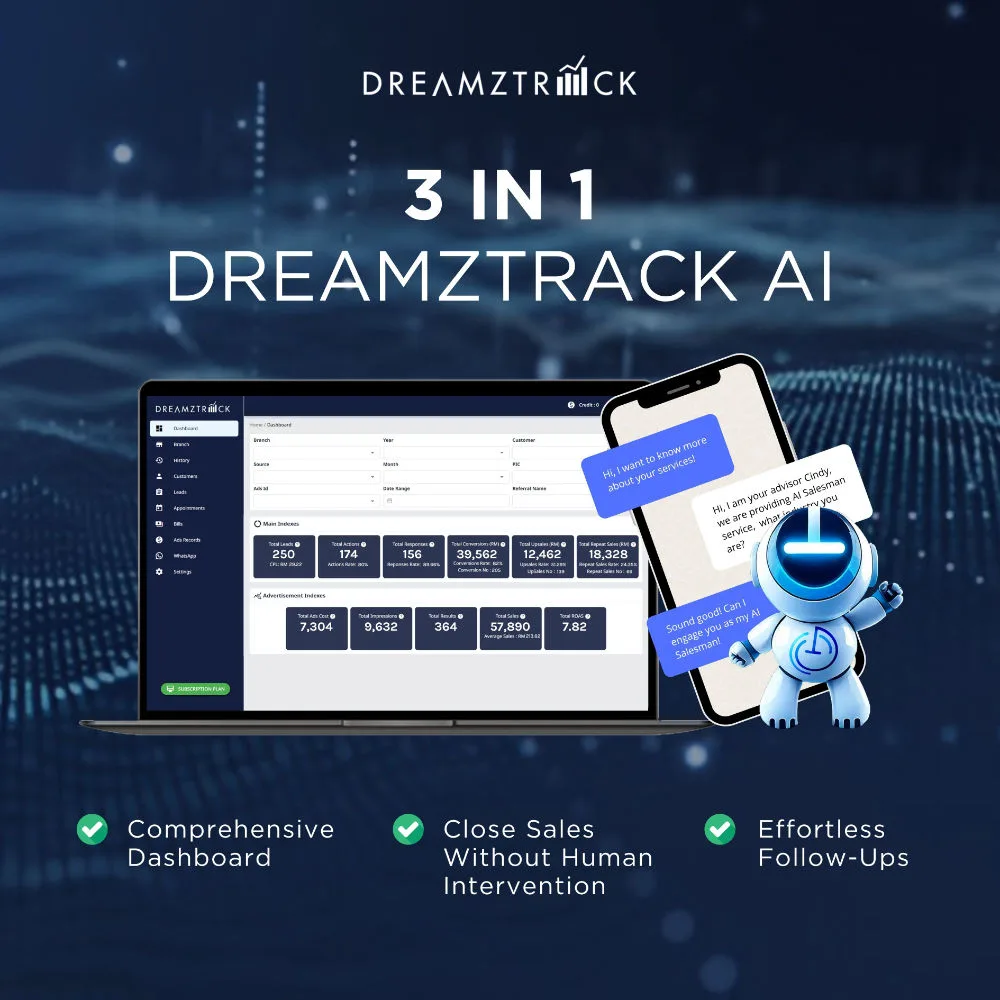
For a marketing manager, the practical question is how to make a sound decision before moving budget. Good ads analysis starts with real leads and sales, not just the activity an ad generates. DREAMZTRACK brings Google, Facebook and Instagram ads into one dashboard and shows which ad produced each enquiry and sale, alongside cost per real lead and ROAS.
Which metrics should you check first?
Start with the measures that connect spend to customer outcomes:
- Cost per real lead: See how much spend is associated with each real lead, rather than judging an ad on attention alone.
- ROAS: Compare the return from ad spend with the sales attributed to the ads.
- Enquiries and sales by ad: Check which specific ads led to customer enquiries and sales before deciding what to change.
These measures help you compare campaigns using the outcomes your business cares about. A Malaysian business running ads across several platforms can use one view to check whether an ad is generating enquiries that progress to sales before changing its spend.

Use ads analysis before changing spend
Use this sequence to make the decision in context:
- Set up DREAMZTRACK Ads Analysis to track your Google, Facebook and Instagram ads in one dashboard.
- Review cost per real lead and ROAS. Check these alongside the enquiries and sales attributed to each ad.
- Compare customer outcomes. Look at which ads produced enquiries and sales, rather than making a change based on one measure alone.
- Decide what to adjust. Use the combined picture to guide your next spend decision, then keep assessing the results against leads and sales.
See the DREAMZTRACK Ads Analysis feature to get started.
Follow the customer from ad to enquiry and sale
A spend decision is only useful if you can understand what happens after someone responds. AI Ads Tracking identifies which ad each customer came from without manual spreadsheets, helping connect the source of a lead to the next customer conversation.
When a customer replies, AI Reply recognises the stage they are at, rather than acting like a keyword-only robot. If the customer goes quiet, AI Follow Up follows up, so your team does not have to remember each missed conversation.
For relevant customer updates at scale, WhatsApp Blasting sends bulk messages instantly on WhatsApp. Together, these steps help you connect ad performance with the customer journey that follows, so your next budget decision is based on more than the initial response.
Make the next spend decision with clearer evidence
When results look mixed, avoid treating one metric as the whole story. Check cost per real lead and ROAS alongside the ads that produced enquiries and sales, then consider what happened as those customers progressed. That gives your team a more useful basis for deciding whether to keep, reduce or shift spend.
Start using DREAMZTRACK Ads Analysis to review your ad outcomes in one dashboard, or ask for a demo to see how it can fit your team's workflow.
Frequently Asked Questions
What should I check before changing ad spend?
Check cost per real lead, ROAS, and which ads produced enquiries and sales. Looking at them together gives you a clearer view of ad outcomes than relying on a single measure.
Should I change spend based on enquiries or sales?
Review both. Enquiries show which ads generate customer interest, while sales help you understand which ads led to a sale.
Can DREAMZTRACK track ads across different platforms?
Yes. DREAMZTRACK Ads Analysis tracks Google, Facebook and Instagram ads in one dashboard and shows which ad produced each enquiry and sale.
How can I connect ad performance to follow-up?
AI Ads Tracking identifies which ad each customer came from. AI Reply recognises the customer's stage, and AI Follow Up follows up customers who go quiet.
Which plan is right for you?
Pick the one that matches how you work. You can start today and change later.
Pro
For one person running sales alone
AI Salesman
RM 499 per month
Subscribe nowBest if: You get many WhatsApp enquiries and want an AI to answer and follow up for you.
Business
For teams of 3 or more
3in1 Dreamztrack AI
Best if: You want AI replies, bulk messages and ad insights in one plan.
Enterprise
Made around your business
Custom
Talk to usYou have many staff, need a custom setup, or want it to fit your own way of working. Tell us what you need and we shape the plan with you.
Not sure which one? Chat with us on WhatsApp. Chat on WhatsApp
Ready to start?
Pick a plan and start today, or chat with us on WhatsApp first.
Get a free demo on WhatsApp
Leave your WhatsApp number and we will show you how it works for your business.
- See it with your own business
- Ask anything about the setup
- We reply on WhatsApp
Prefer to chat now? Chat on WhatsApp
More ways to grow your WhatsApp sales
AI Ads Tracking
Knows which ad each customer came from, with no manual spreadsheets.
See how it works