How to set auto reply WhatsApp Business: from fixed greeting to AI that reply customer by stage






To set auto reply in WhatsApp Business, open Business tools, then set a greeting message and an away message. These send fixed text only. To reply customer questions properly, you need AI that knows which stage each customer is at, and that is what DREAMZTRACK AI does.
See it in action
The short answer: how to set auto reply in WhatsApp Business
Most owners search how to set auto reply whatsapp because customers message at night, during lunch or while the shop is busy, and nobody answers. The built-in app can help a little. It is free to switch on and takes a few minutes.
But it only sends one fixed message. It does not read what the customer wrote. This article shows the basic setup first, then what to do when fixed text is not enough.
The basic steps in the WhatsApp Business app
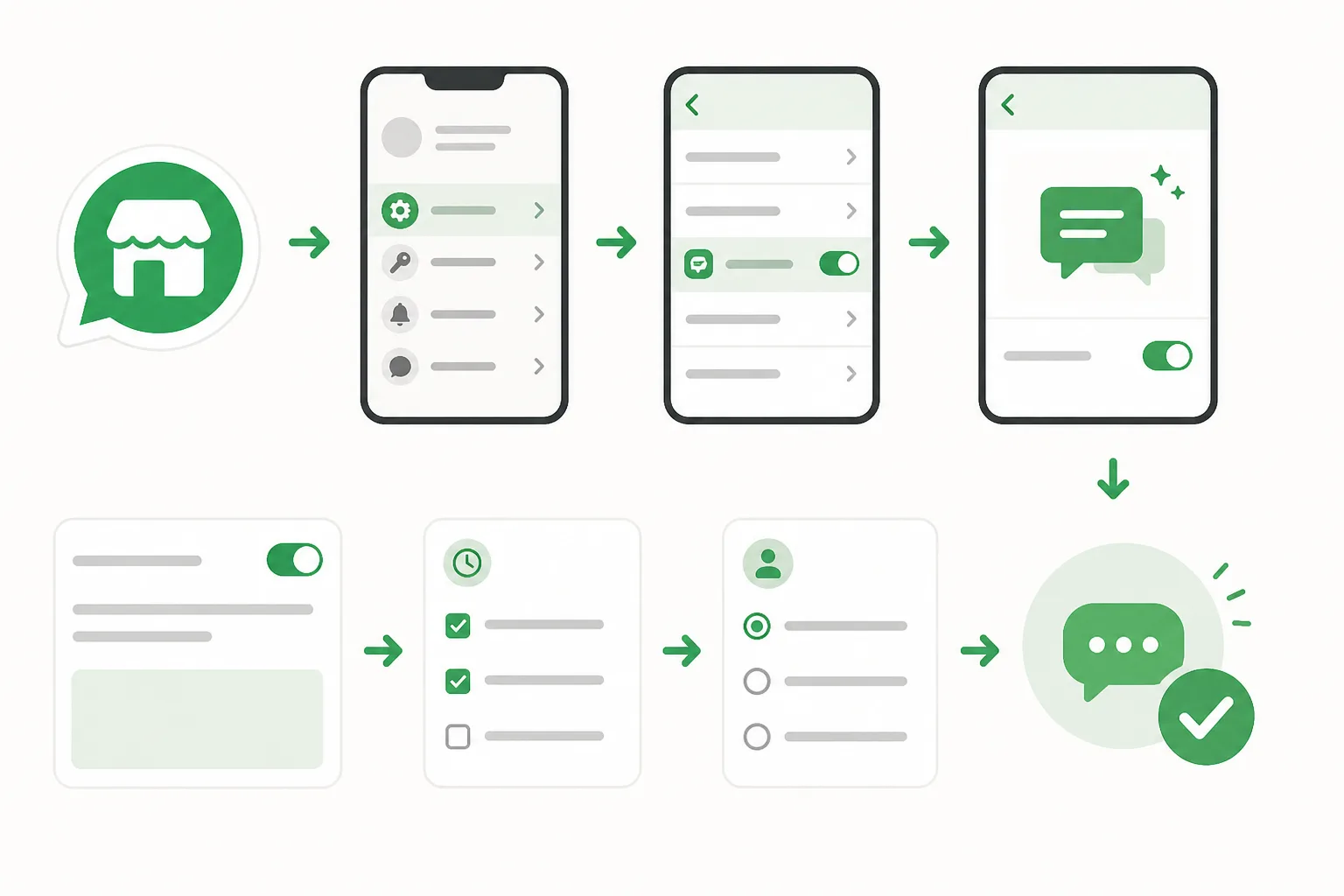
- Open WhatsApp Business and go to Settings, then Business tools.
- Tap Greeting message, switch it on and write a short welcome.
- Choose who receives it: everyone, or only new customers.
- Tap Away message, write when you will reply, and set a schedule.
- Send a test from another phone.
The menu names can differ a little between iPhone and Android, but the path is the same.
What a fixed auto reply can and cannot do
A greeting or away message is a signboard. It says "we received your message". That is useful, but the customer still waits for a person.
Think of a Penang cafe owner who gets "Do you have a table for 8 tomorrow?" at 11pm. The away message says "We will reply tomorrow". The customer may already be asking another cafe.
| Question | Built-in auto reply | AI reply |
|---|---|---|
| Reads the customer message | No | Yes |
| Knows the customer's stage | No | Yes |
| Answers price or availability | No | Yes, from what you teach it |
| Same text for everyone | Yes | No |
If you want sample wording first, see our guide on the WhatsApp Business greeting message.
Why slow replies cost you sales
A customer who asks a question is usually ready to buy now, not tomorrow. Every hour of silence gives a competitor time to answer first.
This is one of the biggest leaks for small businesses. We cover it in where Malaysian SMEs lose buyers.
A fixed auto reply fixes only the first point, and only a little. For the night-time side, read how to reply customer fast at night.
How to set AI in WhatsApp with DREAMZTRACK AI
If you are asking how to set ai in whatsapp, the idea is simple. You do not write rules for every keyword. You teach the AI your business, and it replies by reading the conversation.
DREAMZTRACK AI is not a keyword robot. It knows which stage the customer is at, for example just asking, comparing, or ready to order, and replies to match. More than 1600 clients already use DREAMZTRACK.
Setup in short steps
- Open the AI Reply function and connect your WhatsApp number.
- Write what your business sells, your opening hours, location and how you like to talk.
- Add your products so the AI can recommend and quote. Product AI holds up to about 500 products.
- Test with a few real questions from your own chats.
- Switch it on. Each new message gets an answer in the customer's context.
Not sure what to prepare? Use this checklist: what to prepare before AI replies customers.
How to reply customer fast without sounding like a robot
Speed matters, but so does tone. A reply that ignores the question feels worse than a short wait.
With AI reply customer message handling, the answer follows the question. A customer asking "ada stock?" gets a stock answer. A customer asking about delivery to Johor gets delivery details. A customer who is ready gets the next step to order.
Keep it improving, and follow up quiet customers
After the first week you will see questions the AI could answer better. You do not need a developer. With Text AI Edit Instruction you change the AI's instructions just by typing.
Then comes the next leak: the customer who asked the price and went silent. AI Follow Up follows up customers who went quiet, so you do not have to remember.
For one-time promotions to your list, WhatsApp Blasting sends bulk messages on WhatsApp. If your leads come from ads, Ads Analysis shows how those ads perform.
The flow is: fast reply, then follow up, then promotion, then ad review. Each step keeps the customer in your chat instead of a competitor's.
Which option should you choose?
| Your situation | Best choice |
|---|---|
| Few messages, simple shop | Built-in greeting and away message |
| Many repeat questions | AI reply |
| Customers ask at night | AI reply |
| Leads go quiet | AI reply plus AI Follow Up |
Start with the built-in message today if you have nothing. Move to AI as soon as you notice staff retyping the same answers, or leads waiting for hours.
You can also compare the wider picture in what a chatbot AI can and can't do for SMEs and when to use WhatsApp AI for customer questions.
Your next step
Set the basic greeting today so no customer meets silence. Then let AI do the real work of answering.
With DREAMZTRACK AI you teach it your business once, and it replies by stage, day and night. Start using AI Reply or ask for a demo and see it answer your own customer questions.
Next topics worth reading: how to reply customer complaints on WhatsApp, how AI qualifies leads, and how to book appointments from chat. Start with sample complaint replies in BM and English.
Frequently Asked Questions
What should I say when a customer asks for the price?
Give the relevant price information clearly, along with any details that affect the total. If you need more information to answer accurately, ask one focused question before recommending an option.
How soon should I reply to a customer?
Reply as soon as your team reasonably can, especially when the customer is asking about an active order or booking. If you cannot answer yet, acknowledge the message and explain that you will check the details.
Does a WhatsApp auto reply help customers buy?
It can acknowledge a message and point customers to a useful next step, but a generic response may not answer what they need. Use automation for simple first responses and provide a relevant human reply when the question needs context.
How do I follow up without sounding pushy?
Send a brief, polite check-in that refers to the customer’s question and offers help. Avoid repeated messages, and make it comfortable for them to continue later or decline.
Which plan is right for you?
Pick the one that matches how you work. You can start today and change later.
Pro
For one person running sales alone
AI Salesman
RM 499 per month
Subscribe nowBest if: You get many WhatsApp enquiries and want an AI to answer and follow up for you.
Business
For teams of 3 or more
3in1 Dreamztrack AI
Best if: You want AI replies, bulk messages and ad insights in one plan.
Enterprise
Made around your business
Custom
Talk to usYou have many staff, need a custom setup, or want it to fit your own way of working. Tell us what you need and we shape the plan with you.
Not sure which one? Chat with us on WhatsApp. Chat on WhatsApp
Ready to start?
Pick a plan and start today, or chat with us on WhatsApp first.
Get a free demo on WhatsApp
Leave your WhatsApp number and we will show you how it works for your business.
- See it with your own business
- Ask anything about the setup
- We reply on WhatsApp
Prefer to chat now? Chat on WhatsApp
More ways to grow your WhatsApp sales
🖼️ AI Keyword Reply
When a customer mentions a keyword, it sends a voice note, photo or video automatically.
See how it works🛍️ Product AI
Add your products; it recommends and quotes automatically (up to about 500 products).
See how it works✍️ Text AI Edit Instruction
Change or improve the AI's instructions just by typing, no back office needed.
See how it works