How to Reply Customer Messages So They Buy
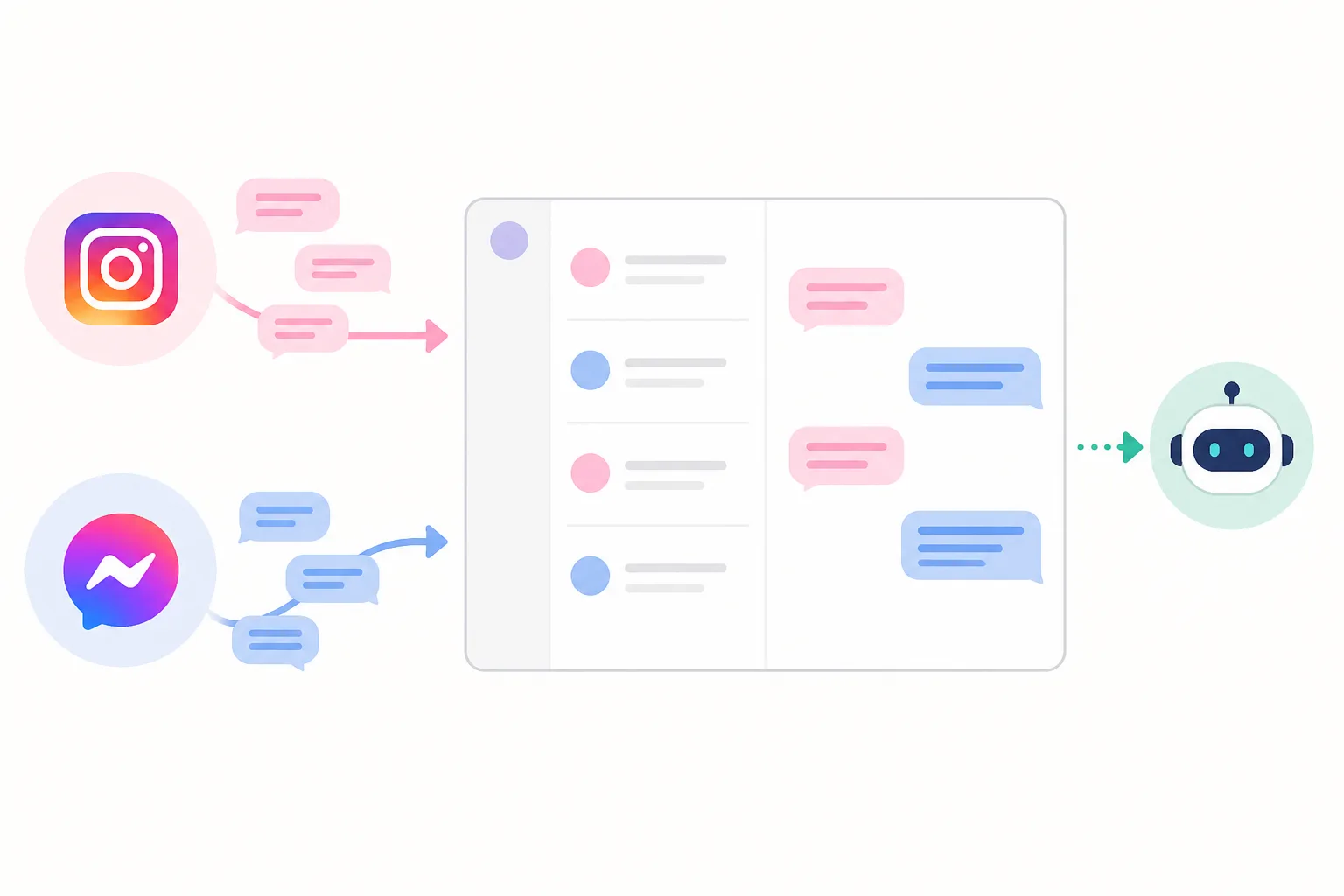







Yes. One AI can handle Instagram auto reply and Messenger together, as long as it reads each customer's stage instead of matching keywords. With DREAMZTRACK AI, your team works from one place and the AI replies customer messages from every channel in the same way.
See it in action
The real problem: one customer, three apps, no overview
A customer sees your post on Instagram, asks the price in DM, then follows up on Messenger two days later. If these chats sit in different apps, nobody sees the full story. The customer repeats themselves, and your staff reply late or twice.
That is why people search for an instagram auto reply tool. But a single-app tool only fixes half of it. The better question is: can one AI cover Instagram and Messenger and keep everything in one inbox?
The short answer is yes. A messenger ai chatbot and an instagram ai chatbot can run on the same brain, so the customer gets the same quality of answer wherever they write.
This article explains how that works, what to set up, and where it leads next: follow-ups, lead capture and closing the sale.
Why a basic Instagram auto reply is not enough
Most built-in tools send one fixed message when someone writes. Useful for a greeting, but weak for selling. It cannot tell a person who is just browsing from one who is ready to pay.
What keyword robots get wrong
A keyword robot sees the word "price" and sends the price list, every time. It does not notice that the customer already got the list yesterday and is now asking about delivery to Penang.
What stage-aware replies do
DREAMZTRACK AI Reply knows which stage the customer is at. It is not a keyword robot. The same question gets a different answer depending on where the conversation is. If you want a closer look at the limits of fixed replies, read about autoresponder limits versus AI replies.
This matters for a whatsapp auto reply as much as for Instagram. The logic is the same on every channel.
Messenger AI chatbot: how it shares the inbox with Instagram
A messenger ai chatbot is simply an AI that answers Facebook Messenger chats. The useful part is not the bot itself but where it sits. When Messenger and Instagram feed the same AI, your business has one set of instructions and one way of talking.

What you gain
For the wider picture across channels, see one AI that replies on WhatsApp, Telegram, Facebook and Instagram.
How to set it up: from first message to handover
You do not need a technical team. The idea is to tell the AI about your business once, then let it work.
- Open DREAMZTRACK AI and go to the AI Reply function.
- Write your business instructions: what you sell, how you speak, what to ask new customers.
- Add your products so the AI can recommend and quote. Product AI holds up to about 500 products.
- Connect your channels so the chats arrive in one place.
- Test with a few sample questions and adjust the instructions by typing, using Text AI Edit Instruction.
- Let it run and check the chats your team needs to step in on.
Changing the AI's behaviour later is just typing a new instruction. No back office is needed.
Instagram auto reply for comments, personal accounts and free tools
People often ask three things, so here are plain answers.
Auto reply to comments
Comments are public and short. They are best used to invite people into DM, where the AI can ask questions and qualify the lead. Think of the comment as the door, and the DM as the shop.
Personal accounts
Serious selling is better done from a business account. Customers trust it more and your team can share it. Our brief does not claim features for personal accounts, so plan around a business setup.
Free tools
Free tools usually give one fixed greeting. That is fine for an away message. It will not recommend a product, quote, or follow up. For greeting wording, the greeting and away message examples can inspire your first lines.
The AI goes further: it answers the actual question, then moves the customer to the next step.
Comparison: separate tools vs one shared AI inbox
| Point | Separate tools per app | DREAMZTRACK AI |
|---|---|---|
| Replies | Fixed message or keyword | Based on customer stage |
| Inbox | One per app | One shared place |
| Product answers | Staff type manually | AI recommends and quotes |
| Quiet customers | Forgotten | AI follows up |
| Changing rules | Edit each tool | Type one instruction |
For a Malaysian SME, such as a cafe, tuition centre, clinic or online shop, the gain is simple: fewer missed DMs and less time copying the same answer.
From reply to sale: follow-up, media and lead capture
A fast reply opens the chat. It does not close it. Many leads go quiet after the first price. AI Follow Up picks up customers who went silent, so your team does not have to remember.
When a customer mentions a keyword, AI Keyword Reply can send a voice note, photo or video automatically. A salon can send a style photo, a property agent a short walkthrough video.
To see how leads are captured and passed to your team, read about Instagram AI chatbot lead capture and handover.
If your slow replies cost you deals today, the five fixes for slow replies explain why speed matters so much. And if you are weighing options, compare AI chatbot vendors in Malaysia first.
Your next step
More than 1,600 clients already use DREAMZTRACK AI. You do not have to choose between Instagram and Messenger. One AI, one inbox, one set of rules.
Ready to reply to customers on every channel without extra staff? Start using AI Reply or ask for a demo and see it on your own business.
Frequently Asked Questions
What should I say when a customer asks for the price?
Give the relevant price information clearly, along with any details that affect the total. If you need more information to answer accurately, ask one focused question before recommending an option.
How soon should I reply to a customer?
Reply as soon as your team reasonably can, especially when the customer is asking about an active order or booking. If you cannot answer yet, acknowledge the message and explain that you will check the details.
Does a WhatsApp auto reply help customers buy?
It can acknowledge a message and point customers to a useful next step, but a generic response may not answer what they need. Use automation for simple first responses and provide a relevant human reply when the question needs context.
How do I follow up without sounding pushy?
Send a brief, polite check-in that refers to the customer’s question and offers help. Avoid repeated messages, and make it comfortable for them to continue later or decline.
Which plan is right for you?
Pick the one that matches how you work. You can start today and change later.
Pro
For one person running sales alone
AI Salesman
RM 499 per month
Subscribe nowBest if: You get many WhatsApp enquiries and want an AI to answer and follow up for you.
Business
For teams of 3 or more
3in1 Dreamztrack AI
Best if: You want AI replies, bulk messages and ad insights in one plan.
Enterprise
Made around your business
Custom
Talk to usYou have many staff, need a custom setup, or want it to fit your own way of working. Tell us what you need and we shape the plan with you.
Not sure which one? Chat with us on WhatsApp. Chat on WhatsApp
Ready to start?
Pick a plan and start today, or chat with us on WhatsApp first.
Get a free demo on WhatsApp
Leave your WhatsApp number and we will show you how it works for your business.
- See it with your own business
- Ask anything about the setup
- We reply on WhatsApp
Prefer to chat now? Chat on WhatsApp
More ways to grow your WhatsApp sales
🖼️ AI Keyword Reply
When a customer mentions a keyword, it sends a voice note, photo or video automatically.
See how it works🛍️ Product AI
Add your products; it recommends and quotes automatically (up to about 500 products).
See how it works✍️ Text AI Edit Instruction
Change or improve the AI's instructions just by typing, no back office needed.
See how it works