Facebook messenger auto reply: instant reply vs away message
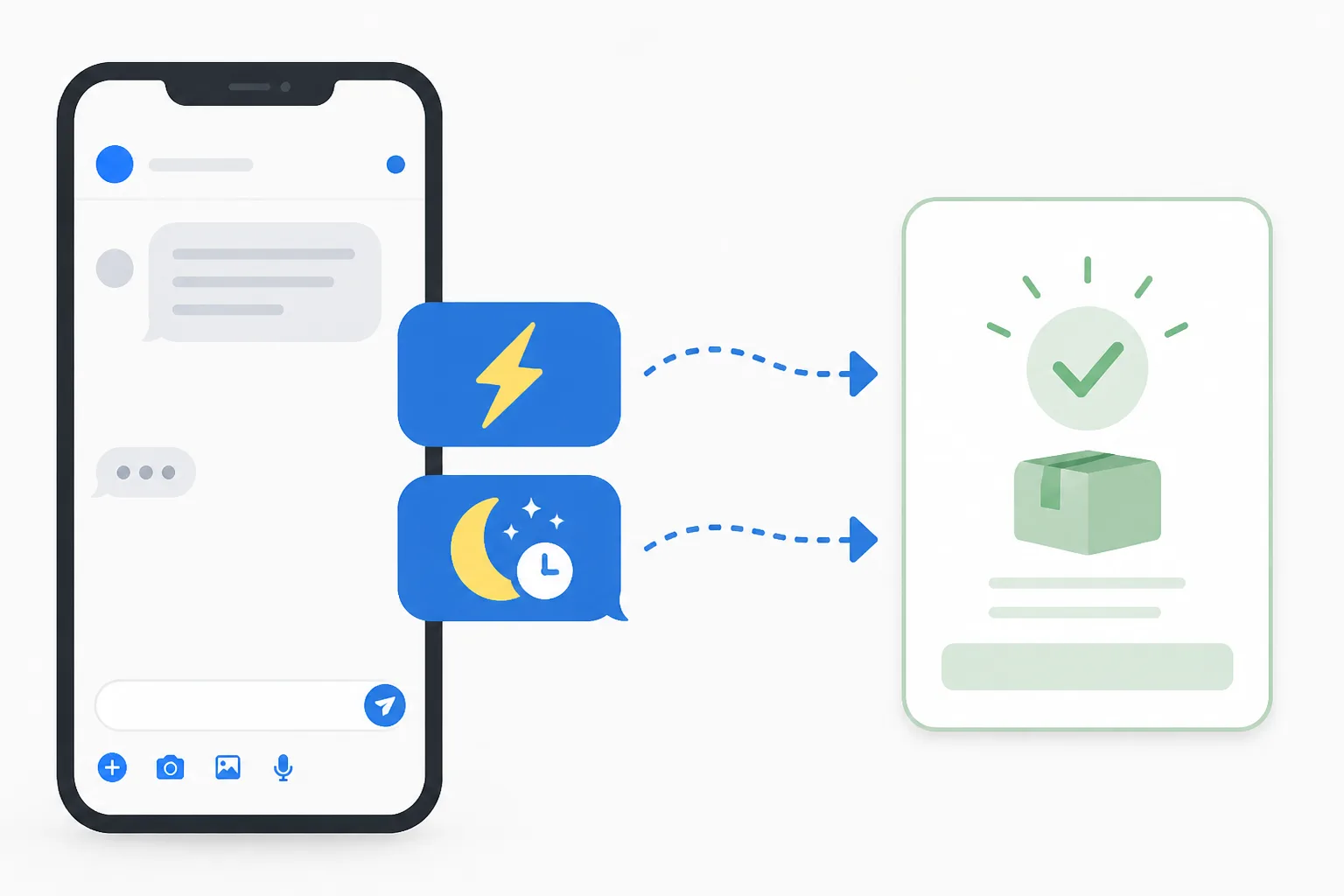






Use an instant reply to greet every new chat and an away message to set expectations when you are offline. Both are fixed texts, so neither moves the sale forward. DREAMZTRACK AI replies based on the stage each customer is at, so the chat keeps going after the first message.
See it in action
Why this choice matters now
That is where facebook messenger auto reply comes in. You have two basic choices: an instant reply or an away message. They look similar, but they do different jobs.
This article explains the difference, gives sample texts, and shows what to do when a fixed message is not enough. We also cover how to auto reply facebook page chats without sounding like a robot.
Instant reply vs away message: the difference
An instant reply is sent as soon as someone messages your page. It says hello and confirms you got the message. It works at any hour.
An away message is shown when you mark yourself as away or outside business hours. It tells the customer you are not available and when you will be back.
| Point | Instant reply | Away message |
|---|---|---|
| When it sends | Every new chat | Only when you are away |
| Main job | Greet and acknowledge | Set expectations |
| Best for | Busy pages, many enquiries | Shops with fixed hours |
| Risk | Sounds generic | Customer waits and leaves |
| Moves the sale? | No | No |
Notice the last row. Neither one answers the question the customer actually asked.
Sample messages you can copy
Instant reply sample
"Hi, thanks for messaging us! Tell us which product you are looking at and your area, and we will help you."

The last line matters. It asks for something, so the customer has a next step.
Away message sample
"Hi, we are closed now and open again at 9am. Leave your question here and we will reply first thing."
Tips for both
- Keep it under three lines.
- Give a clear time, not "soon".
- Ask one easy question.
- Use the language your customers use, whether English, Malay or a mix.
If you want more ideas for greetings, read our guide on WhatsApp business greeting message. The same rules apply on Messenger.
Auto reply facebook page: which one to turn on
When you set up an auto reply facebook page, the choice depends on your hours and your traffic.
Many Malaysian sellers get chats at 10pm after people finish work. A message saying "we will reply tomorrow" often means the customer asks the next shop instead.
Our other guide on when to switch from free to an AI chatbot shows the signs that you have outgrown simple settings.
Where both options fall short
A fixed text cannot read the customer. Someone asking "how much for the large size?" gets the same greeting as someone asking "where is my parcel?"
That creates a chain of problems:
- The customer gets a generic reply and still has no answer.
- They wait for you, or leave.
- You reply hours later, and the chat has gone cold.
- You forget to follow up, and the lead is lost.
Keyword robots are no better. They fire when a word matches, even if the customer is already at a different stage. If you want to see the full picture of leaks in your funnel, read fix your enquiry-to-order steps first.
How DREAMZTRACK AI replies to the customer, not the keyword
DREAMZTRACK AI Reply knows which stage the customer is at. It is not a keyword robot. A new enquirer, a price asker and someone ready to order each get a fitting answer. That is how you reply customer chats with substance, not just a greeting.
Here is how it works for you:
- Open DREAMZTRACK and set up AI Reply with your business details.
- Tell the AI how you want it to speak. You can change this later just by typing, using Text AI Edit Instruction.
- Customers message you at any hour.
- The AI replies to what they actually asked and moves them to the next step.
Over 1600 clients already use DREAMZTRACK. The same idea is behind a good ai reply customer message flow on any channel, including the way WhatsApp auto reply handles after-hours chats.
Fixed auto reply vs AI reply
| Question | Instant / away message | DREAMZTRACK AI Reply |
|---|---|---|
| Answers the real question | No | Yes |
| Knows the customer's stage | No | Yes |
| Works at night | Sends a notice | Keeps the chat going |
| Follows up quiet customers | No | With AI Follow Up |
| Edit by typing | Menu settings | Yes, in plain text |
You do not have to drop your simple messages. They are a fine start. The AI is the next step when chats start to turn into orders you are missing.
Add the features that close the sale
Together, the first reply, the quote and the follow-up become one smooth path. Compare it with an AI chatbot versus a live agent to see what suits your team.
Your next step
Start with DREAMZTRACK AI Reply and let every chat get a real answer. Or ask for a demo and we will show you how it handles your own enquiries.
Frequently Asked Questions
What should I say when a customer asks for the price?
Give the relevant price information clearly, along with any details that affect the total. If you need more information to answer accurately, ask one focused question before recommending an option.
How soon should I reply to a customer?
Reply as soon as your team reasonably can, especially when the customer is asking about an active order or booking. If you cannot answer yet, acknowledge the message and explain that you will check the details.
Does a WhatsApp auto reply help customers buy?
It can acknowledge a message and point customers to a useful next step, but a generic response may not answer what they need. Use automation for simple first responses and provide a relevant human reply when the question needs context.
How do I follow up without sounding pushy?
Send a brief, polite check-in that refers to the customer’s question and offers help. Avoid repeated messages, and make it comfortable for them to continue later or decline.
Which plan is right for you?
Pick the one that matches how you work. You can start today and change later.
Business
For teams of 3 or more
3in1 Dreamztrack AI
Best if: You want AI replies, bulk messages and ad insights in one plan.
Enterprise
Made around your business
Custom
Talk to usYou have many staff, need a custom setup, or want it to fit your own way of working. Tell us what you need and we shape the plan with you.
Not sure which one? Chat with us on WhatsApp. Chat on WhatsApp
Ready to start?
Pick a plan and start today, or chat with us on WhatsApp first.
Get a free demo on WhatsApp
Leave your WhatsApp number and we will show you how it works for your business.
- See it with your own business
- Ask anything about the setup
- We reply on WhatsApp
Prefer to chat now? Chat on WhatsApp
More ways to grow your WhatsApp sales
🖼️ AI Keyword Reply
When a customer mentions a keyword, it sends a voice note, photo or video automatically.
See how it works🛍️ Product AI
Add your products; it recommends and quotes automatically (up to about 500 products).
See how it works✍️ Text AI Edit Instruction
Change or improve the AI's instructions just by typing, no back office needed.
See how it works